
Real-Time Tracking in Google Analytics: The Complete Niubx Guide
Learn real-time tracking google analytics with Niubx. Discover setup, reports, metrics, and best practices to monitor live traffic.
Introduction: Why Real-Time Tracking in Google Analytics Matters
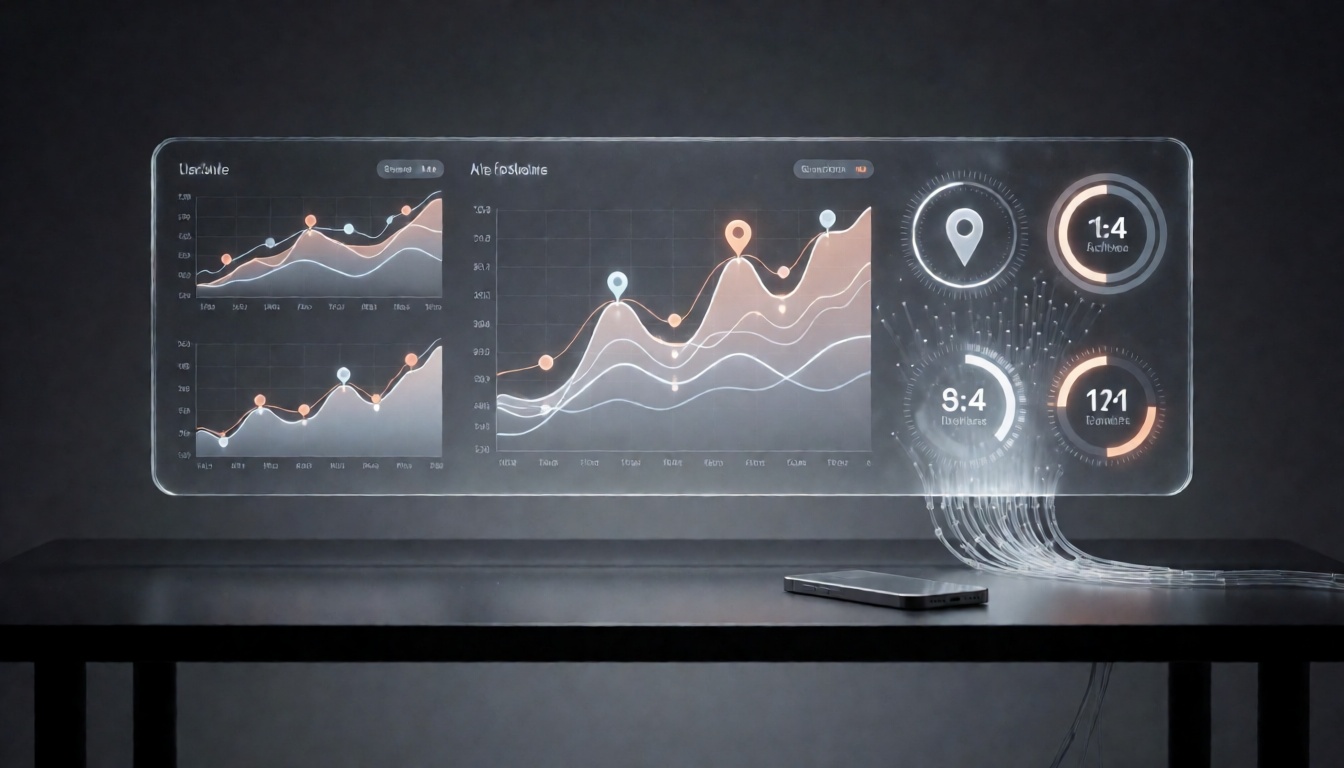
Real-time tracking in Google Analytics is the practice of capturing, processing, and displaying user activity the moment it happens — a page view, a scroll, an add-to-cart, a form submission, or a purchase. Instead of waiting hours for data to settle into standard reports, real-time tracking gives you a live window into how people are actually behaving on your site right now.
In modern analytics, that immediacy is not a novelty. It is an operational necessity. Marketing campaigns go live in seconds, paid budgets burn in minutes, and a broken checkout can quietly destroy revenue for hours before anyone notices. Real-time tracking Google Analytics data closes that gap by turning analytics from a rearview mirror into a live dashboard.
Why does live user activity matter for fast decisions?
- Campaign validation: You can confirm that a new ad, email, or landing page is firing tags correctly and attracting the right audience immediately, not the next morning.
- Revenue protection: Sudden drops in conversion events or spikes in error signals become visible while there is still time to act.
- Traffic quality control: Bot traffic, click fraud, and referral spam often appear as abnormal real-time patterns long before they distort monthly reporting.
- Product and UX insight: Watching live sessions reveals friction — rage clicks, dead-end pages, abandoned funnels — as it unfolds.
Niubx works with brands that treat measurement as a growth lever rather than an afterthought. From tag architecture to dashboarding, Niubx helps teams turn raw GA4 streams into decisions, and tools like the Niubx Autopilot SEO Content Engine keep the content side of acquisition aligned with what the data shows.
What Is Real-Time Tracking in Google Analytics?
Real-time tracking in Google Analytics refers to the collection and near-instantaneous reporting of user interactions. In Google Analytics 4 (GA4), this is surfaced primarily through the Realtime report, which shows activity from the last 30 minutes (with some views focused on the last 5 minutes).
How GA4 Surfaces Real-Time Data
GA4 is built on an event-based model. Every interaction — page view, scroll, outbound click, video engagement, purchase — is an event with parameters and user properties attached. Because events stream in continuously, GA4 can render them in a live view while also writing them into the underlying datasets used for standard reporting.
Real-Time Reports vs. Standard and Historical Reporting
| Report type | Latency | Best used for | |---|---|---| | Realtime | Seconds to a few minutes | Validation, monitoring, incident response | | Standard (e.g., Reports snapshots) | Hours (often 4–24+) | Trends, channel performance, comparisons | | Historical / Explorations | Day or more | Deep analysis, attribution, cohort behavior |
The key distinction is purpose. Real-time answers "is it working right now?" Standard and historical reporting answer "what does this mean over time?"
Core Real-Time Concepts
- Users: Distinct active users within the selected time window.
- Events: The count and names of interactions occurring live.
- Conversions (key events): The important actions you have marked as conversions, shown as they fire.
- Audiences: User groups you have defined, which can be reviewed and later used for remarketing or personalization.
- Screens and pages: Where the activity is happening across web and app properties.
Together these concepts let you answer the practical question: who is doing what, where, and how often — right now?
How Google Analytics Real-Time Tracking Works
Data Collection: gtag.js, Google Tag Manager, and the Measurement Protocol
Real-time tracking begins with data collection. There are three primary routes:
- gtag.js (the Google tag): Hardcoded or injected on the page, it sends events directly to GA4.
- Google Tag Manager (GTM): A container-based approach that centralizes tags, triggers, and variables — the preferred method for most Niubx clients because it simplifies audits and version control.
- Measurement Protocol: Server-side or offline events sent directly to the GA4 endpoint, useful for CRM actions, call tracking, refunds, and subscription events that never touch the browser.
Streaming Data Processing and Expected Latency
Once an event reaches Google's collection servers, it enters a streaming pipeline. Realtime reports typically update within seconds, though a small buffer is normal. Some processing — particularly for attribution, identity stitching, and data freshness in standard reports — takes longer. Understanding this split prevents false alarms: an event can appear in Realtime and still take hours to appear in standard exploration views.
Identity Spaces and Live Attribution
GA4 uses multiple identity spaces — User ID, Google Signals, and device ID — to associate activity with users. Real-time reports largely rely on the identifiers available at the moment of collection, which is why live numbers can differ slightly from historical totals once identity resolution and modeling complete. That is expected behavior, not a tracking failure.
Key Benefits of Real-Time Tracking for Niubx Clients
Monitor Campaign Launches and Traffic Spikes as They Happen
When a paid campaign, influencer post, or product drop goes live, real-time tracking Google Analytics data confirms whether traffic is arriving and from which source and medium. You can shift budget within the same hour instead of the same week.
Validate Tracking Setup and Event Firing Immediately
Implementation is only as good as its verification. Realtime and DebugView let you confirm that a newly deployed event fires with the correct parameters before it ever affects reporting. For ecommerce teams, this matters enormously — see the dedicated breakdown in Google Analytics Ecommerce Tracking in Real Time: The Complete GA4 Guide for Niubx Users.
Detect Outages, Broken Funnels, and Suspicious Traffic in Real Time
A silent tag failure, a checkout error, or an unexpected traffic surge from a single region all show up in live data first. Early detection is often the difference between a minor incident and a lost quarter.
Improve User Experience by Observing Live Behavior
Watching live event sequences helps you spot where users hesitate. Combined with session recordings and heatmaps, real-time signals tell you which pages deserve immediate attention.
Setting Up Real-Time Tracking in Google Analytics
Create or Access a GA4 Property
Start in the Google Analytics admin area. Confirm your data stream (web, app, or both) is correctly configured and that you have the necessary permissions.
Install the Google Tag with GTM or Site Code
Preferred approach: deploy the Google tag through Google Tag Manager, then add GA4 configuration and event tags. Site owners on WordPress or Shopify can accelerate this with the WordPress Plugin or the Shopify Plugin, which reduce manual code changes and keep implementations consistent.
Enable Enhanced Measurement for Automatic Events
Enhanced measurement captures scrolls, outbound clicks, site search, video engagement, and file downloads automatically. It is the fastest way to populate meaningful real-time data without custom development.
Define Key Events and Conversions
Mark the events that represent business value as key events. Once flagged, they appear in real-time conversion activity — essential for validating launch days.
Use DebugView and Tag Assistant to Verify Live Data
DebugView shows event-level detail in near real time, including parameters. Tag Assistant validates GTM container behavior. Use both together before and after release.
Understanding Real-Time Reports and Metrics
The Realtime Overview Report in GA4
The overview gives a snapshot of active users, event counts, and top pages, sources, and audiences within the selected window.
Users in the Last 5 and 30 Minutes
GA4 lets you toggle between shorter and longer windows. The 5-minute view is best for validating an action you just took; the 30-minute view is better for monitoring a launch.
Event Count by Event Name and Conversion Activity
The event card shows which events are firing and how frequently — the fastest way to spot a missing purchase or generate_lead event.
Segment Live Traffic by Page, Source, Medium, and Audience
Break down live users by landing page, traffic source, medium, device, and audience membership to isolate where meaningful traffic is coming from and which segments convert.
Using Niubx to Enhance Real-Time Google Analytics Tracking
Raw live data is only useful when it is readable and connected to action.
Build Niubx Dashboards That Surface Live GA4 Metrics Clearly
Niubx dashboards consolidate real-time metrics — active users, key events, live revenue, source performance — into views built for the decisions your team actually makes. Learn more and get started with the Starter Plan for smaller teams, or the Scale Plan for multi-brand and higher-volume operations.
Set Up Alerts for Traffic Drops, Conversion Changes, and Anomalies
Threshold and anomaly-based alerts turn passive dashboards into an early warning system. Define what "normal" looks like, then let alerts notify you when reality diverges.
Integrate GA4 Real-Time Data with CRM, Ads, and Marketing Platforms
Connecting live behavior to CRM records, ad platforms, and email tools closes the loop between anonymous activity and identifiable pipeline — making real-time signals directly actionable for sales and lifecycle marketing.
Audit Data Layers and Custom Dimensions
Clean data layers and well-documented custom dimensions ensure your live reports mean the same thing next quarter as they do today.
Best Practices for Real-Time Tracking Google Analytics
- Define real-time KPIs before implementation. Decide what "healthy" looks like: minimum checkout rate, expected event volume per minute, acceptable latency.
- Avoid vanity metrics. Active users alone is not a KPI. Tie live signals to conversion, revenue, or retention outcomes.
- Use segments and comparisons to isolate meaningful traffic. Exclude internal IPs and known bots so live numbers reflect real customers.
- Annotate external changes. Campaign launches, PR pushes, and site releases should be logged so live spikes and dips are interpretable later.
- Run regular QA checks on tags, events, and consent settings. Automate where possible; manual verification drifts out of date quickly.
- Pair live data with competitive context. Benchmarking live traffic against competitor visibility, using frameworks like Competitor Keyword Gap Analysis: The Complete 2025 Guide for Niubx, helps explain why a traffic shift is happening, not just that it happened.
Real-Time Tracking vs. Standard Reporting: When to Use Each
- Use real-time tracking for immediate validation and monitoring. Launches, deployments, incident response, and live campaign management.
- Use standard reports for trends, attribution, and deep analysis. Channel performance, cohort behavior, and multi-touch attribution need settled data.
- Combine both views. Real-time tells you something changed; standard reporting tells you what it means over 7, 28, or 90 days. The strongest analytics cultures run both in parallel.
Troubleshooting Common Real-Time Tracking Issues
Diagnosing Missing or Delayed Real-Time Data
Confirm the tag is present in the page source, that the correct measurement ID is in use, and that the property is the one you are viewing. Check whether another container or a plugin is duplicating the tag.
Checking Tag Firing, Filters, Consent Mode, and Ad Blockers
Consent Mode can suppress event data until a user grants permission — correct behavior, but it reduces live volume. Ad blockers and browser privacy features also suppress client-side hits, which is a strong argument for server-side tagging.
Verifying Cross-Domain Tracking and Internal Traffic Exclusions
Broken cross-domain configuration splits sessions and distorts both live and historical data. Internal traffic filters must also be applied correctly, or your own team will inflate live user counts.
Using DebugView, Tag Assistant, and Network Tools
Use DebugView for event-level truth, Tag Assistant for container validation, and browser network panels to confirm requests are actually leaving the page.
Privacy, Consent, and Compliance Considerations
GDPR, CCPA, and Regional Consent Requirements
Real-time collection still requires a lawful basis. Depending on your audience, GDPR, CCPA/CPRA, and other regional frameworks dictate what can be collected, how long it is retained, and how users are informed.
Implementing Consent Mode v2 Correctly
Consent Mode v2 enables modeling and conversion recovery while respecting user choices. It should be implemented alongside a compliant cookie banner, not bolted on afterward.
Data Retention, IP Handling, and Policy Disclosures
Set retention windows deliberately, understand IP anonymization behavior in GA4, and ensure your privacy policy accurately describes what you collect.
Balancing Real-Time Value with Privacy
Real-time insight and user privacy are not mutually exclusive. Aggregated live metrics, server-side collection, and modeled data can deliver operational visibility without over-collecting personal information.
Advanced Real-Time Tracking Strategies for Niubx Users
- Create custom events for high-value live interactions. Qualified form steps, pricing page dwell, configurator actions, and subscription upgrades.
- Build real-time audiences for remarketing and personalization. Users who viewed a product live can be reached while intent is highest.
- Export GA4 data to BigQuery. BigQuery unlocks near-live analysis, joins with CRM data, and custom alerting logic beyond the GA4 interface.
- Use server-side tagging and CRM integrations. First-party, server-side collection improves accuracy and resilience against client-side blocking.
- Set predictive alerts for unusual traffic or conversion behavior. Model expected baselines and alert on deviations rather than fixed thresholds.
Measuring Success: KPIs for Real-Time Tracking
- Active users, new users, and engaged sessions — the pulse of live demand.
- Conversion rate and key event volume — the clearest signal of commercial health.
- Engagement time and scroll depth — early indicators of content-market fit.
- Live source and medium performance — which channels deserve budget right now.
- Error rates and funnel drop-offs — where revenue is leaking in the moment.
Track these consistently, in the same dashboard, with the same definitions. Consistency is what turns a real-time feed into a reliable management tool.
Conclusion and Next Steps with Niubx
Real-time tracking in Google Analytics transforms measurement from a reporting chore into a live operating system for growth. It validates implementations in minutes, surfaces failures before they become expensive, and reveals user behavior while there is still an opportunity to respond. Combined with standard and historical reporting, it gives you both the immediate signal and the long-term trend.
Quick implementation checklist for Niubx clients:
- Confirm a GA4 property and data stream for every domain.
- Deploy the Google tag via GTM, or use the WordPress Plugin / Shopify Plugin for faster setup.
- Enable enhanced measurement and define key events.
- Verify everything in DebugView and Tag Assistant before launch.
- Implement Consent Mode v2 with a compliant consent banner.
- Build a live dashboard with Niubx Autopilot SEO Content Engine workflows feeding content decisions from real data.
- Configure alerts for traffic drops, conversion anomalies, and error spikes.
- Review live KPIs daily during campaigns and weekly during steady state.
Whether you are launching your first GA4 property or scaling a multi-brand analytics stack, Niubx can help with setup, audits, and strategy — starting with the Starter Plan and expanding into the Scale Plan as your measurement needs grow.